Firefox Browser Trace Steps
Accessing the Developer Tools
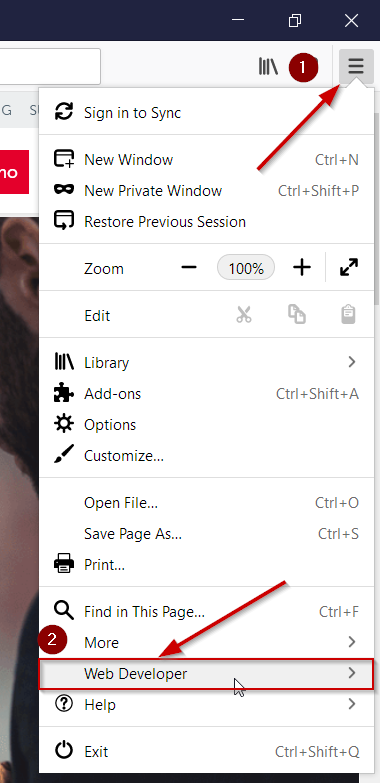
- Press the F12 key to open the developer tools console or select the three bars in the upper right corner of the browser window
- Select Web Developer
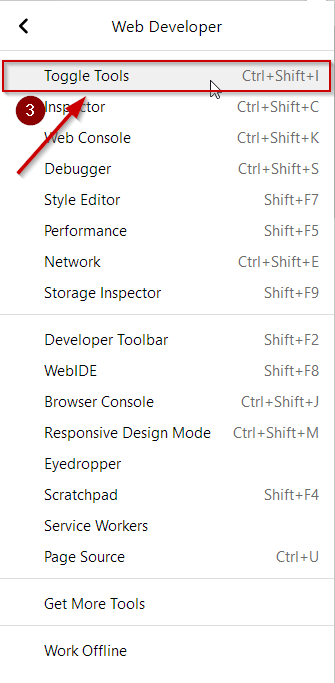
- Click Toggle Tools
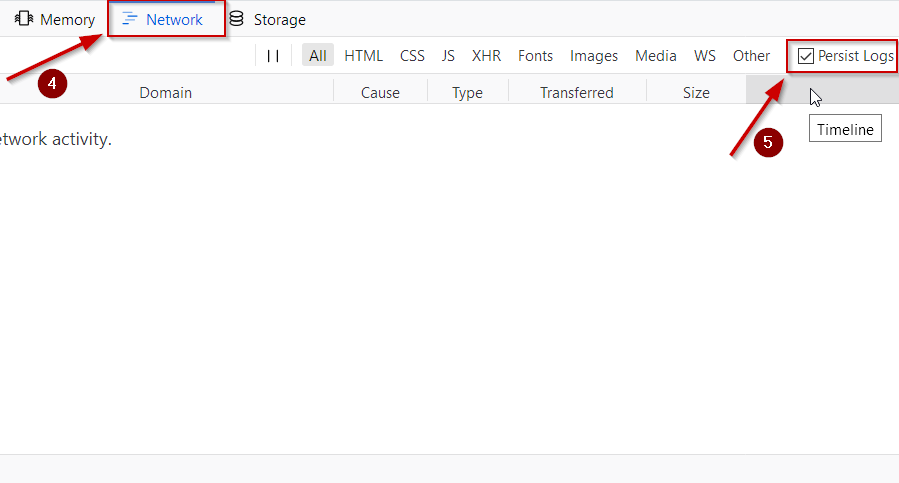
- Click to the Network Tab within the console
- Check the "Persist Logs" box
- Navigate or have the user navigate the pages until the issue occurs then right click in the area with lines of web calls and select the "Save All As HAR"

- Name the file and send the resulting file to support@bigtincan.com as an attachment