Overview
Bigtincan Sync Agent is a simple yet powerful Windows application that lets you quickly and easily upload content from your computer to Bigtincan and keep it in Sync.
This guide will explain the process of using a command line to operate the Sync Agent client. This guide assumes working knowledge of the Sync Agent and it’s core functionality and is designed to advise on options available via scripting.
1. The SyncAgentClient will open the authenticated user database and perform a backup.
2. If there is no user authenticated, backup will fail. To authenticate, run the app normally and sign in.
Sections
Parameter Table
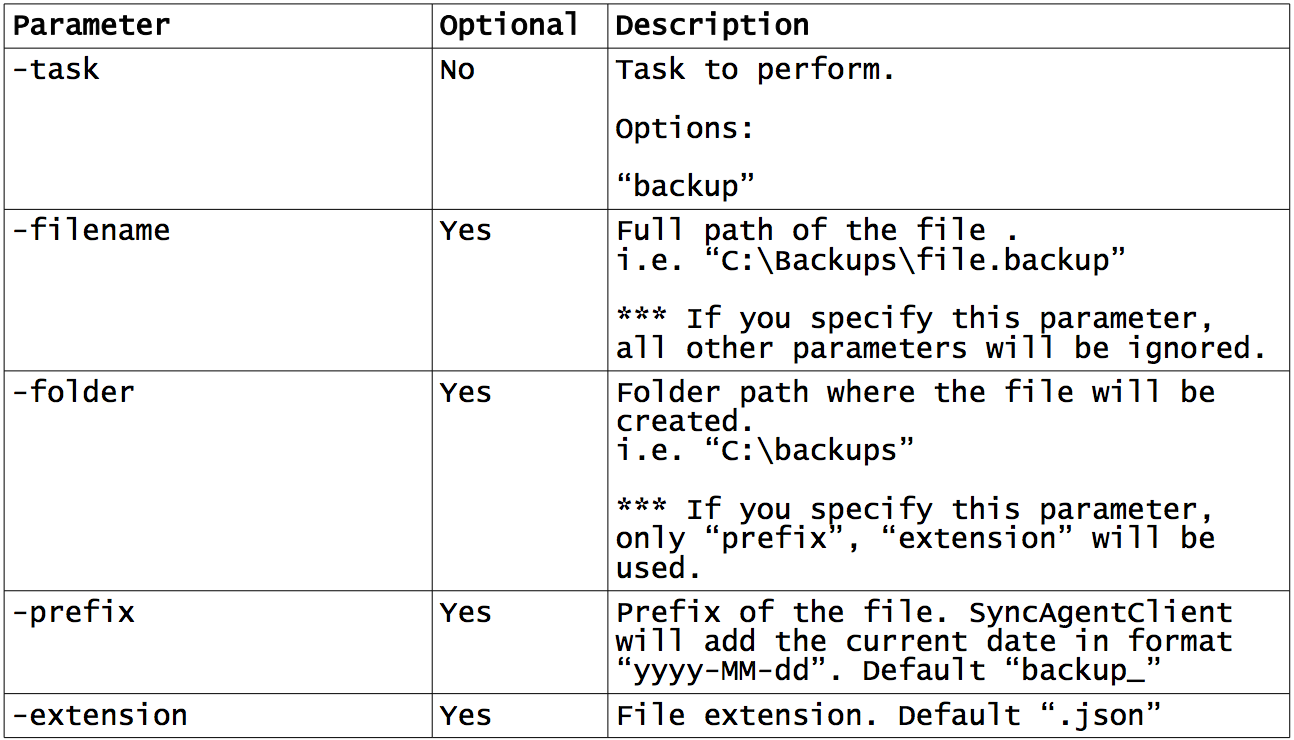
Example 1: File Backup
A backup in a fixed file path
hubSyncAgentClient.exe -task “backup” -filename
“c:\backups\backup1.json”
Example 2: Backup with parameters
Backup in a folder specifying the prefix and extension of the file.
SyncAgent will add the current date (yyyy-MM-dd) in between prefix and extension.
HubSyncAgentClient.exe -task “backup” -folder “c:\backups” -prefix “syncAgentBackup_” -extension “json”
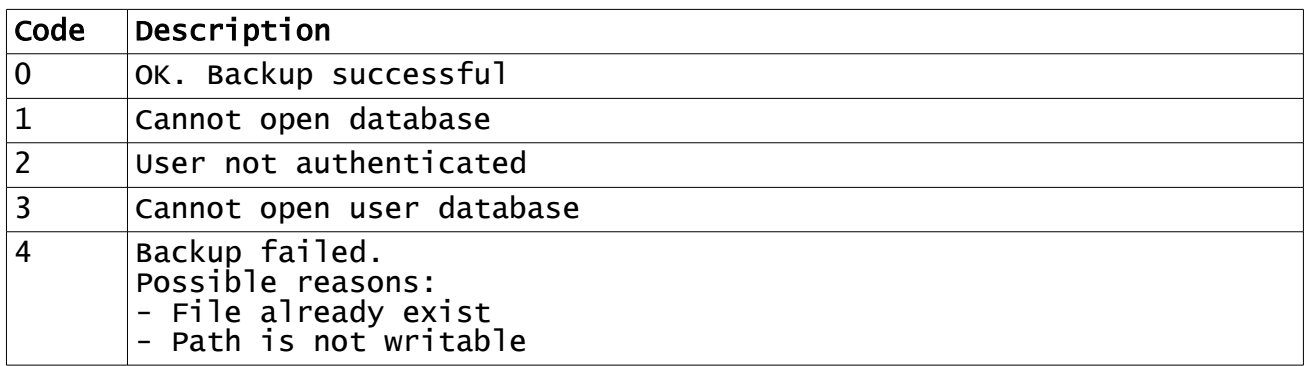
Responses